Showing posts with label Software. Show all posts

Software Development And SaaS Usage Trends

software development saas consumption boom trends cybercrime risks


This past year ago the people of the world faced one of the biggest challenge of this century in a global health crisis. Once the recent event was officially declared, our lives just changed drastically. Millions of people around the world had to live their personal and professional lives from home. This crisis has transformed the idea of work remotely from a suggestion to a fact. Thus, once with this worldwide crisis, even the way people consume software products and technology has changed. 

Software Purchases During Pandemic 

During these times, to ease their lives and cope with the unknown's anxiety and find a balance between work and their personal life, people were more oriented to software products and all sorts of tools that would automatize their work. So the use of software products has been growing significantly since last year, accelerating the need of developers to improve their products. The total technology purchases have gone up during lockdown, raising the bar from 38% to 44% in 2020. The overall technology purchases are expected to grow from 2.6% to 3.4% by end of the year. This caused increasing the demand for software, tech consulting and systems integration services, and many other benefits. Honest software reviews websites To help developers meet their users, some software aggregators in the market ease the process for both parts. 

Find The Smart Software Solutions

For example, SocialSellingEntrepreneur.net is an honest software reviews website aiming to be the largest encyclopedia where people can find their tool match. Social Selling Entrepreneur has come as a natural solution during the pandemic as people started to consume more and more social and digital tools to help improve their work or personal life. Before buying a product or a service, people are looking for accurate information or other people's reviews to inform and make a better decision. Therefore, you can find all sorts of software from CRM, Marketing, Finance, Automation, Design, Project Management, E-commerce, and many more on their website. Moreover, apart from their honest reviews, you can find the latest news in the tech and software industry. This site and blog was designed during the pandemic and is meant to help both consumers and developers meet in the middle and work together to improve peoples' lives. 

On the one hand, they want to help developers find their customers, and on the other hand, they want to help people find what they need to be a better version of themselves and adapt to this digital world. We are also a software comparison website where people can compare multiple products and choose the right one regarding functionality, price, or benefits. Its main goal is to offer people honest software reviews and the necessary information about 

Even though the pandemic has changed radically, people found the ability to adapt and move on, embracing the digital and working from home. Still, we need to socialize. But even if we will return for good in our offices, the consumption for software development will not drop. On the contrary, people and companies will continue to purchase and use whatever tool will improve their work and boost their business after such times. That is why you have better read some honest reviews on specific websites. 

SEMrush SEO Solution

Speaking of software solutions, SEMrush ahead of an upcoming IPO is releasing an awesome new feature inside the Client Manager tool, aimed at honing and simplifying one of the most complex and significant stages of your workflow – client reporting. This is where we are going to need your help. This top SEO SaaS solutions is also sharing their process for building the most target, relevant and successful links with a live audience. The cool part is, the websites they’ll use for the walk-through will be audience submissions - so submit your site for a chance to be featured in their presentation!

Software Buying And SaaS Use Boom Creates Increased Security Risks 

But with a boom in software use and a bigger shift towards digital comes more cybersecurity risks like hacking and computer viruses. One simple example is all of the Zoom meetings and calls that were hacked into when it was the most popular video chat program going. But that's really just the tip of the iceberg when it comes to software vulnerabilities and other digital security risks. 

You must train employees how to use SaaS programs correctly and to recognize phishing emails. Work with a technology partner to help ensure your data is secure. Have employees change their passwords regularly. Maintain up-to-date antivirus and firewall software. Use an encrypted virtual private network to maintain data security Have employees use passwords with multiple characters, numbers, symbols, and capitalized letters mixed with lowercase. They may be better targets for financial gain than individuals. They may have more valuable information, such as personal information and employee data, than individuals. Their employees often are easy targets for phishing emails. Some businesses might not maintain up-to-date cybersecurity for their data, but here is some top cybersec information we found. 

Cybercrime Statistics

There is a lot of new data on the market for cybercrime, hacks, malware, and ransomware. Cybercrime has increased by 600% since the COVID-19 pandemic. MacOS malware has grown by 165% in the past year. Email is used to deliver 92% of malware. Of information security professionals, 50% say their companies are unprepared to resist a ransomware attack. One-third of businesses attacked by malware took at least a week to recover their data. Three in four companies that become infected by malware had up-to-date endpoint protection. 

The average business spends $133,000 on a ransomware attack. Ransomware costs companies more than $75 billion every year. A business will be the victim of ransomware every 11 seconds this year. Newly hired employees present the most risk from socially engineered attacks such as phishing. Of IT professionals, 56% name targeted phishing as their top threat to security. Users open 30% of phishing messages; 12% of them wind up clicking on the malicious link or attachment. 

Ransomware attacks are increasing by more than 350% every year. Of small businesses, 47% have had at least one cyber attack in the last year; 44% of those experienced two to four attacks. Seven in 10 businesses are not prepared to address a cyber attack. Two-thirds of businesses with more than 500 users never ask their employees to change their passwords. Two-thirds of small businesses say they are “very concerned” about cyber security. About 60% of small businesses go under within six months of a cyber attack or digital scam.

Nearshore Development Companies: A Strategic Approach To Software Development

nearshore software development

In today's globalized business landscape, organizations are constantly seeking ways to enhance their efficiency and remain competitive. One increasingly popular strategy is to partner with nearshore development companies for software development needs. These companies offer a range of advantages that can help businesses streamline their software development processes and achieve their goals more effectively. 

Nearshore development involves collaborating with software development firms located in neighboring or nearby countries. This geographical proximity brings several key benefits. Firstly, it minimizes the challenges posed by time zone differences, allowing teams to work in overlapping time zones, facilitating real-time communication and collaboration. This ensures that project timelines are met promptly, and any issues can be addressed swiftly. 

Moreover, nearshore development often results in a more natural alignment of cultures. Similar time zones often mean similar work cultures and business practices, reducing misunderstandings and enhancing teamwork. 

Cost-efficiency is one of the primary reasons why companies opt for nearshore development. While offshore development can provide cost savings, nearshore development strikes a balance between cost-effectiveness and proximity. Travel expenses are minimized as teams can meet in person if necessary. Additionally, nearshore teams often offer lower hourly rates than their onshore counterparts while maintaining high-quality work standards. 

Nearshore development companies typically have access to a rich talent pool of skilled professionals. Many of these professionals have received education and training from prestigious institutions and are well-versed in the latest technologies and methodologies. By tapping into this talent pool, businesses can access specialized expertise that may not be readily available in their home countries. 

Another advantage of partnering with nearshore development companies is flexibility. These firms can quickly scale up or down to meet changing project requirements. Whether a business requires a small team for a short-term project or a dedicated team for ongoing development, nearshore partners can adapt accordingly. 

In terms of risk mitigation, nearshore development offers advantages over in-house development or offshore outsourcing. Proximity enables more straightforward progress monitoring and quality control. Many nearshore companies operate under strict data security and compliance regulations, reducing the risk of data breaches and legal complications. 

Language proficiency is another key benefit. Nearshore development companies often employ teams proficient in the language of their client's country. This ensures smooth communication and reduces the likelihood of misunderstandings or miscommunication. 

In conclusion, nearshore development companies provide a strategic advantage by offering cost-effective, skilled resources to streamline software development processes. Their proximity, cost-effectiveness, access to talent, flexibility, and proficiency in client languages make them valuable partners for businesses looking to optimize their software development initiatives. By harnessing the benefits of nearshore development, organizations can concentrate on their core competencies while relying on experts to drive their software development projects to success.

NetSuite Support Options For Troubleshooting

netsuite support options troubleshooting ecommerce software

If you are new to NetSuite ERP or their ecommerce platform SuiteCommerce Advanced, you will eventually run into areas that require additional assistance. Troubleshooting is required in any software solution, and NetSuite is no different. By having the right resources available, you can be ready to tackle any issue you face. Resources for troubleshooting NetSuite issues There are a handful of common resources you should be aware of when beginning work in NetSuite ERP or SuiteCommerce Advanced. 

1. SuiteAnswers 

This is the first place you can go to search for official articles or help topics related to your issue. It is a combination of a handful of articles and all the NetSuite help documentation. Suite Answers can be a little difficult to find all your solutions, so you will need to rely on other resources. 

2. Developers SuiteCommerce 

If you are using SuiteCommerce, this help section is not just for developers. It can be used for both developers and SuiteCommerce Advanced administrators. It only gives Suite Commerce related articles and help documentation in a cleaner format. As of 2025, it is no longer being updated, but for the next couple years, it might be a good resource that filters out all the non SuiteCommerce related pieces. Plus, it is more organized with parent topics. 

3. NetSuite Blogs By Partners 

Many partners like Anchor Group NetSuite Consultants have their own blog that might have posted solutions to issues they have encountered. Worse case scenario, you can hire a partner as a better, more responsive, NetSuite support option to resolve your issue for you. NetSuite ACS is an option, but most people find they aren’t as useful as partners due to their escalation process. 

4. NetSuite Support Tickets 

You may want to submit support tickets for very difficult problems. It is one way to get help, but it will take the longest to find a solution. They also have an escalation process and depending on the issue, it might take weeks to resolve. If it is a vital issue, contact a NetSuite partner, consultant, or developer. 

5. NetSuite Consultants, Developers, And Partners 

The most common method of support for NetSuite users is to have a professionals in their field outside of the Oracle Net Suite company helping to support their instance. There are a variety of consultants, developers, and partners that will make your life 100% easier by having them on standby or as a managed services support. 

Finding A Human For Direct Support 

There are a couple different types of people you will likely face when trying to get an answer to a question. These two main roles or NetSuite functional consultants and NetSuite developers. Each person plays an important role through out any troubleshooting process. A functional consultant will know the key configurations, understand documentation toughly, likely be certified as an administrator or ERP consultant, and have a high level understanding of NetSuite development. 

As you dive into any issue, it may be a result of a customization a NetSuite developer built at one point. This could be scripting that needs updated or a new customization that fails to interact with an old customization. If you decide to find a NetSuite partner to be your primary support options for questions and service work, these will be the two types of people you will likely be working with on a daily basic. 

If you have a need for SuiteCommerce, you will need someone specialized in SuiteCommerce Advanced development. A good NetSuite developer that has no experience in SuiteCommerce will know that it requires an additional expertise. If you need SuiteCommerce support, make sure to hire a SuiteCommerce specialized partner. 

Reassurance That SuiteCommerce Is Right For You 

If you have run into a lot of issues with your specific instance, this type of partner can help reassure you why SuiteCommerce is better than other options like Shopify Plus. NetSuite ERP is commonly used for all types of organizations in all verticals including health. Many companies like this Discounts Domains, use NetSuite ERP, and grow into SuiteCommerce as their ecommerce. 

Finding Other Apps And Solutions To Resolve Issues 

There are some new initiatives by SuiteMarkets which is a 3rd party app platform that allows you to purchase SuiteCommerce and NetSuite ERP apps with features. It is a great way to find existing solutions for NetSuite ERP or SuiteCommerce. It is something to keep in mind as the platform continues to grow and more features get listed. Since it is free to list solutions, there are more smaller applications being listed such as order tracking, blogs, custom themes, customer center add-ons, in addition to software companies. 

There is also NetSuite’s app platform which is primarily used to inform NetSuite customers of software that integrates into the platform. Shopify has something similar including applications that help them integrate into the NetSuite platform. More and more customers are utilizing NetSuite as an ecommerce platform in additional to its reporting, warehouse management, HR, and other ERP features. This expands beyond your traditional ecommerce website and includes integrations to popular ecommerce solutions including Amazon, eBay, and Overstock.

Features Of Preview For Viewing Or Editing PDFs

features of preview viewing pdf files editing pdfs

MacOS, the operating system that powers up Mac models, is one of the most optimized and feature-packed operating systems of all time. It packs in various native applications, each of which facilitates individuals to perform specific tasks with ease. One such powerful native utility of macOS is Preview. 

In this article, we will take a closer look at what Preview is and some of its most prominent features that come in handy when viewing or editing PDFs. Let us get started: 

What Is Preview? 

Preview is a native macOS utility that allows users to access, view, and edit different files, including digital images, PDF documents, and many similar items. 

Besides viewing, macOS users can make simple file modifications using the utility. For example, they can make simple modifications and tweaks to pictures by adjusting their shadows, contrast, highlights, etc. Overall, it is a highly useful app that macOS users use frequently. 

Preview Features For Viewing And Editing PDFs

The Preview application comprises numerous features that come in handy when users wish to view or edit PDF files. Here is a look at how users can utilize the native tool when dealing with PDFs: 

● Change The Thumbnails Of PDF Files 

When looking at a PDF’s thumbnail, individuals see the smaller version of its pages. This facilitates users to determine or develop a vague idea of what is inside. 

There are instances when users need to change a PDF’s thumbnail. Fortunately, one of Preview’s most prominent features is to let users alter the thumbnails of files, including PDFs. To alter the thumbnail of any PDF document or any of its aspects using Preview, users can follow multiple ways. 

For starters, they can change the dimensions, i.e., collapse or expand it by opening the PDF file using the native utility and clicking on the arrow present beside the filename in the sidebar. Besides this, users can change the size of thumbnails by opening the PDF file using Preview, navigating to the View menu, clicking on the Thumbnails option, and then dragging the sidebar’s separator in the desired direction to alter the width. 

 ● Add Bookmarks 

Most PDF files contain multiple pages of information. Sometimes, users need to access only a particular section of information. However, due to plenty of pages, it becomes hard for them to jump directly to the required section. This is where the use of bookmarks comes in. They are used to mark specific sections based on their significance so that recipients can easily access the important information. 

Besides other features, one highly-useful feature of the Preview utility is allowing users to add bookmarks to PDF files. To bookmark a specific section in a PDF file using Preview, users need to follow the given steps: 

Step 1 - Open the PDF file using the Preview Utility. 
Step 2 - Navigate to the page containing the required information you wish to bookmark. 
Step 3 - Open the Menu bar and click on the “Tools” option. 
Step 4 - Click on the option labeled “Add Bookmark” 

Doing so will bookmark the required portion of a PDF file instantly. To know more, visit https://setapp.com/how-to/add-bookmark-to-pdf

● Annotate A PDF 

Annotating refers to adding notes to give explanations and comments. The PDF format allows users to annotate since it facilitates the readers to understand a particular term, line, or section more clearly. Besides offering users the features to add bookmarks and change thumbnails, the Preview utility also facilitates them to annotate PDFs. 

To annotate a PDF using Preview, all users need to do is follow the given steps: 

Step 1 - Open the PDF they wish to annotate using Preview. 
Step 2 - Navigate to the “Tools” section. 
Step 3 - Select the option labeled “Annotate.” 

Using Preview’s annotation tool, users can add text, make shapes like circles, triangles, etc., and easily make customizations on forms or files. 

● Add Signatures To PDF Files 

PDF signatures are mostly used to verify the legitimacy of files and the authorship of their contents. Using the Preview app, macOS users can also add signatures to PDFs. To do so, users need to follow the given steps: 

Step 1 - Open the desired PDF file using Preview. 
Step 2 - Navigate to the “Tools” section. 
Step 3 - Click on the “Annotate” option. 
Step 4 - Click on the option labeled “Signature.” 

● Display Or Present PDFs As Slideshows 

When presenting PDF files, most macOS users prefer displaying them using Preview’s slideshow feature. To do so, users need to follow the given steps: 

Step 1 - Open the PDF in the Preview application. 
Step 2 - Click on the “View” menu, followed by the “Slideshow” option. 
Step 3 - To control the slideshow, use the navigation buttons or controls at the screen’s bottom. 

Thanks to its amazing features, the Preview app is a solid option for viewing and editing PDFs. Any Mac user who wishes to know about Preview’s PDF-related features can refer to the aforementioned points.

Using Online Tools To Aid Your Marketing Career

online tools help marketing career resume builder job sites

When it comes to our careers, we have many tools and resources at our disposal these days. This makes it much easier to get into your chosen career, as you can turn to these tools to help you to reach your goals. If you want to get into a career in marketing, you face a lot of stiff competition, so you need to ensure that you make yourself stand out from the crowd. Going online and making use of internet resources and tools can help you to do this. 

A career in marketing offers many benefits, and this makes it an ideal choice for those that want something exciting, well-paid, and secure. Our reliance on digital technology these days means that your services as a digital marketing professional will always be in demand, which then means greater job security. In addition, you can enjoy earning very good money for this type of work as well as a high level of job satisfaction. 

In this article, we will look at some of the best online tools that can help to aid your marketing career or job search. 

3 Top Tools And Resources To Use 

There are various tools and resources online that can be used to help boost your chances of success if you want a career in digital marketing. Some of these 3 top tools include the following: 

1. Online Learning Platforms 

One of the things that you can do in order to aid your marketing career is to make use of online learning platforms. There are various platforms that offer courses and training in digital marketing, so you can work on your knowledge and skills, gain proper certification in digital marketing, and boost your chances of either getting work with an agency or getting clients if you decide to set up on your own. 

2. Resume Services And Tips 

Another thing you can do online is access resume services and digital marketing resume tips. These are tools and resources that can make a big difference when it comes to creating a resume that is polished and professional, and this can then boost your chances of a successful digital marketing career. Having a solid resume means that you can demonstrate your expertise to agencies if you are applying for jobs or to clients if you decide to set up on your own. This can make a huge difference in terms of your ability to get work. 

3. Job Agency Sites 

One of the other valuable resources that you can tap into when you go online is the wide range of job agency sites that are in operation these days. These provide you with access to the latest vacancies, so you can find digital agency jobs with greater ease. In addition, you can register your details on these sites so that information about any new vacancies can be sent to you directly. 

Get Your Dream Job In Marketing

These are some of the ways in which you can use online tools and resources to help you with your digital marketing career. Leverage these websites, software programs, and tools to get a leg up on the competition in an increasingly competitive job market.

Tools To Develop With Ruby

ruby developer tools ror

We know that Ruby is one of the newest and most user-friendly programming languages available today. And that is why it is ideal to start in the world of programming. It is an elegant and expressive language, with program strategies that manipulate or write other programs. 

Web pages created with Ruby function as tools that have the ability to interact with large databases and perform complex operations. 

We could talk and talk about the benefits of Ruby, but to pass to the essential tools for a developer of this language, we can simply summarize those benefits: Ruby on Rails (RoR) is a Framework written in Ruby to make web applications that at some point used, or They continue to use such important sites as Twitter, SoundCloud, Github, among many others. 

It is solid and super fast, you can create a working prototype and publish it on the net in a couple of hours. It has a set of tools that allow you to create complex and scalable applications at Enterprise levels with relatively small programming teams. 

Now, let's talk about those tools that are essential when embarking on a project with ruby. 

Virtualization Software 

Although Rails is often used as a web backend for certain applications, it is more commonly used to program a complete web application, including the frontend. And of course, any web application worth its salt has to be well tested in various browsers, not just the one you have on your machine. That is why the use of virtualization software becomes essential. Among the most famous is VirtualBox (now owned by Oracle), which runs on all platforms and is free. Although you can also use Parallels, one of the preferred options if you work with Mac, or VMWare, a classic in the world of virtualization that does not disappoint. 

Firebug 

The favorite tool for similar results is without a doubt Firebug. Thanks to this extension for Firefox, you will be able to inspect the DOM, make changes to it, take a look at the HTTP requests made, debug Javascript code, analyze the performance of your application, and many other really useful activities during development. Essential. 

Database Client 

Although we can operate with the database from the command line, there are probably many operations that would be more comfortable to perform from a more friendly graphical interface. If you work with MySQL and you are on a Mac, the recommendation is that you download Sequel Pro. It is a very careful application, and with which you can manipulate any aspect of your database at will. If you prefer to have a web solution, which runs on all platforms, then phpMyAdmin is recommended, from which you can also do most of the operations entering with any browser. 

Task Organizer 

It is vital to have tasks organized. The done and the to-do, as well as that we mark short-term objectives and record any type of notes related to the tasks or bugs that serve as a knowledge base. For all this, and to organize teamwork, it is best to use an online service that fits the way you work. In this case, Pivotal Tracker is a great option, because it is an online task management web service that fits perfectly with the SCRUM work philosophy. But if we are talking about a more classic ticket environment, milestones, or if you simply prefer to be able to install the management tool on your server, Redmine is probably your best option. And since it is written in Ruby on Rails, you can always easily extend it to adapt it to your needs. 

Final Thoughts On Ruby Developer Tools

In conclusion, it can be said that these tools have become essential for many programmers in their day-to-day lives, especially when working with ruby ​​on rails development Company.

How Businesses Can Avoid Data Decline

how to avoid data decline business information gathering obstacles

At a recent business training I was running, one of the attendees asked me what I thought the big trends in marketing data would be over the next few years. My initial response to any question about the future these days is that I have no idea what will happen in the next few months, let alone years; the Coronavirus pandemic has upended nearly every aspect of life in some way, making predictions very difficult to make with confidence. However, we don't always need to predict to know what's going to happen. Some things are already set in motion, and it's just a question of time for them to play out. But there is one thing we do know that is trending in the coming years: data decline. 

Data Quality Is Going Downhill

What do we know about data deprecation? We know that data quality is getting worse, thanks to recent technological changes like Apple's Mail Privacy Protection, which distorts metrics like email marketing CTR. We know many tracking mechanisms are beginning to degrade as more consumers use browsers like Firefox and Opera, which enable Do Not Track and enforce it better, instead of Google Chrome, Apple's Safari, or Microsoft Edge. Search engines like DuckDuckGo are more popular among some audiences for their privacy-enhancing features, and savvy consumers may use that search engine more often (especially after their recent marketing campaigns and more privacy scandals with Google, Apple, Microsoft, and Facebook), limiting the information we collect passively. 

We know geolocation data is becoming more difficult with technologies like increasingly popular VPN solutions and Apple's new iCloud Private Relay - and that will show up as distorted information in software like Google Analytics. From a technology standpoint, our ability to collect clean, usable data passively about our audiences is dying. This is great for privacy prioritized consumers in many ways, but businesses and advertisers aren't so happy.

Privacy Laws Are Strengthening 

Over the past few years, marketing has had to contend with a number of privacy enhancements such as the EU's GDPR and California's CCPA. These legislative accomplishments - which strengthen consumers' rights to privacy and how our data is used by companies - were just the tip of the iceberg. 

In the next few months or years, new legislation will be coming into effect, including: DSL and PIPL: This is the Data Security Law and the Personal Information Protection Law of China - similar to GDPR but with stricter measures and stronger penalties, including prosecution of company executives. Like GDPR, it applies to any company doing business with anyone in China, including international companies. Takes effect November 1, 2021. CPRA: The California Privacy Rights Act further enhances privacy first defined in CCPA and targets automated decision making, clearly defines consent, and most important, covers the SHARING of data, not just the selling of it, which will make things like co-registration slightly more onerous for companies. Takes effect January 1, 2023. CDPA: This is Virginia's version of CCPA and requires separate processing of sensitive data, protecting it and requiring active consent. Takes effect January 1, 2023. Colorado SB190: This is Colorado's spin on CCPA, and while slightly different than Virginia's, has mostly the same overlap except for much higher penalties ($20K per user per violation). Takes effect July 1, 2023. The patchwork quilt of legislation appearing throughout the world means that marketers will have their hands full figuring out what is permitted and where; laws in the EU have different requirements than laws in PRC, and even state to state within the United States, laws will vary. From a legal standpoint, however, the trend is clear: consumers don't want us collecting or using data without their permission. While web users were more comfortable giving out their information initially, privacy is now a top priority in light of many recent events.

What Do These Trends Mean For Data Declines? 

The short version is this: the data quality we get from non-consented information - information about our audience that they do not voluntarily, actively give us - is going to get worse. That's the big trend over the next few years, powered by both technological and legal restrictions. What's exempt from all of this? Information our audiences give us voluntarily, with informed consent. When someone fills out a form, as long as we tell them in clear, plain language how we'll use their information, we can use it for those purposes and its quality will be higher than passively guessing who they might be. 

This is why it's so important for us to have a brand and publishing strategy (from a couple of newsletter issues ago). If we build relationships with our audiences, then when we need information from them, we're more likely to get it - accompanied by the consent we'll need to use it. The less consent you earn, the harder it will be for you to obtain usable information to market to your audience. If you're not focused on building awareness and trust with your audience as KPIs (along with business metrics like leads and revenue), you will be behind big time in the years to come due to data death. 

The convergence of powerful technologies, digitally mature customers, and expanding data sources has made delivering hyper-personalized, scalable engagements with customers a must. But if you’re struggling to bridge the gap between the kinds of experiences your customers want and what your business can actually deliver, you’re not alone. We are working to explore the concept of customer adaptive retailing and discover how it can help you transform personalized omnichannel experiences into adaptive and predictive experiences – at every customer data point.

SAP Assessment Data

SAP is a top data tool. Until now SAP As-Is Assessments, on average, have taken approximately 1-2 years, range in cost from $1 million - $7 million, and only dive down to Level 2, or in some cases, Level 3. Traditional assessments are also susceptible to human error, human bias, and internal politics – all factors that may render an SAP As-Is Assessment ineffective and potentially outright dangerous for strategic planning purposes and which in turn often create unwelcome and extensive exposure, risk and liability, not to mention throw away work, re-work, and significant cost overruns. Whether your organization is driven to engage in digital transformations for system modernization, data migration, cyber security, M&A, or moving to the cloud, without a deep, reliable, brutally honest assessment, your organization is potentially setting itself up for varying degrees of failure – all of which will come with a cost. So while it’s easy to see many of the detractors for engaging in a traditional assessment, until now there have been few options, and those options have often had a limited impact on achieving the ultimate goals of a robust SAP Assessment.  

Introducing KPI Analyzer: The Top 10 Reasons To Use KPI Data Analyzer For SAP As-Is Assessments

1.    Comes with a Referral of the SAP Office of the CTO and is part of SAP’s RISE Program 

2.    Has already been used successfully with 1,800+ organizations across 15 industries 

3.    Reduces the traditional 1 - 2 year SAP As-Is Assessment to 1 Day 

4.    Eliminates human errors, biases, dumbed down data, and organizational politics 

5.    Provides a deep dive assessment of your entire enterprise footprint to Level 6 

6.    Kick-starts digital transformation projects with the right baseline of knowledge 

7.    Identifies high risk and abandoned code (cyber-security risks) 

8.    Produces a detailed migration assessment which allows for full system transparency; vital for mitigating risk and accurately budgeting for migration 

9.    Cuts time to value by 99% while providing a >70% reduction of traditional assessment costs 

10.  Identifies As-Is facts necessary to feed Signavio business process mining 

There are many Use Cases we can share, let’s have a conversation to see which Use Cases are right for you and your organization. This global, world-class solution is only available in North America through our very small ecosystem of 3 Partners.

Google Analytics Data Drive: Update Your Tags

Everyone knows Google Analytics is one of the best free tools for webmasters, bloggers, SEOs, and digital marketers for data. The new, more intelligent Google Analytics experience is here. This next generation of Google Analytics will take your digital analytics to a whole new level by delivering the essential customer insights you need. In order to experience this new Analytics, you will need to upgrade to Google's latest dynamic tagging solution. 

Get your newest tag by updating your current Google Analytics tag (analytics.js) to the latest tag (gtag.js), not only will you have access to the new Analytics, you will also benefit from: 

Future-proof conversion measurement: Benefit from the latest features and integrations as they become available so that you'll be better equipped to continue measuring conversions. 

Code-less tag management: Turn measurement features on and off within your Google Analytics account without having to manually change tags on your page. 

Faster and easier integration: Seamlessly implement and integrate with other Google products, such as Google Ads and Google Optimize. You can find the global site tag (gtag.js) in your Analytics account and implement it directly on your website. 

If you already use Google Tag Manager, no action is needed. 

Avoid Data Derailing With Mailchimp

Mailchimp is obviously one of the most popular email marketing and digital tools around today. Founder Ben Chestnut has shared his exciting vision for the future of Mailchimp. Users will be able to get insights from Courier on trends that can help make you a better seller. You can learn about the new Content Optimizer, our latest tool, to help you create more engaging emails and drive more conversions. Discover how to deliver campaigns at scale to the right audience, at the right time, by using integrations in the Mailchimp Marketplace for decidedly better data.

Data Decisions 

Data is on the decline if you don't take action to improve your collection and analysis. Without proper data use, your business will be walking blindly.

Data Driven Digital Marketing For Business Branding

data driven accurate analytics digital marketing business branding

How To Prove The ROI Of Your Marketing Agency With Data Driven Brand Power

There is a lot of new talk on how agencies could use data-driven marketing as a way to showcase their value and real results they obtain for clients. Fundamentally, marketing agencies need to take five steps to make this journey successful with clients: 

Become data-driven. Making marketing decisions with data allows you to act faster and make better decisions when done right. Be crystal clear about KPIs. What's a KPI? It's the number you get your bonus for (or fired for). But in all seriousness, it means key performance indicators and they are important to proving to clients or employers that your digital marketing is producing a return on investment (ROI).

Build an agency cookbook. Cookbooks set apart good agencies from great ones. Use data to become proactive. Impress clients by being more proactive and pushing them. Squeeze all the juice from your tools. You probably don't need to buy more tools. An agency which takes these steps becomes more and more valuable to its clients. For folks on the client side, these are the things you should expect of your agencies, things you should ask for when agencies are pitching you. Agencies not doing these things will not serve you as well as they could. There's obviously a lot more detail, so go ahead and watch the talk now.

Here’s a truth that will probably not surprise you: most people, especially in marketing, don’t view themselves as particularly analytical or data-driven. And that is OK; being data-driven isn’t for everyone, and there are plenty of situations where it’s not the optimum methodology for solving problems. However, one thing I’ve noticed, especially since the beginning of the pandemic, is the absolute abdication of critical thinking, inquiry, and analytical capabilities among too many people with that mindset. 

Here’s a very simple example: someone reads a news story that makes a specific claim, like studies show mRNA vaccine effectiveness against the Delta variant of Covid-19 is about 65% right now. And that person simply accepts that statement at face value and assumes it to be true. (it is true, by the way, proven with peer-reviewed clinical research) At no point does that person wonder, “Well, how do they know that? How was that proven?” In effect, the person abdicated all critical thought responsibility and simply went with what they were given. 

Closer to home, to marketing, I can’t begin to tell you the number of times I’ve given a report to a client with my analysis, and they simply accept it as gospel, as an immutable, always-correct truth. They share the report around internally with colleagues, and the business acts on it. On the one hand, I’m glad my work is received so well. But on the other hand, it can occasionally be concerning that someone doesn’t fact check it and say, “hey, this doesn’t feel right”, not in a confrontational way but simply a request to validate the findings. You and I, by virtue of being marketers who believe in the power of data and use it to do our jobs, are in a position where we’re handing our analysis and results to others, to stakeholders, and there’s a real possibility no one will question it and simply go with what they’re given. 

What does this mean for us? It means we have a solemn responsibility, to the best of our abilities, to get it right, to do our homework, to produce analysis that’s as close to perfect as it can be - because no one else is going to check on it. It’s reminiscent of the changes made in the auto industry when auto companies adopted the ideas of W. Edwards Deming. Instead of having QA for every role (and possibly QA for QA), employees are told that they are solely responsible for the quality of their work. For successful companies, every worker was held accountable for the quality of their work, rather than abdicating responsibility for quality to a dedicated QA role. We must do the same. No matter your level of skill or comfort with data or analysis, be sure you’re getting it as right as possible. Not that many organizations have a QA role for marketing analytics, but even if you do, don’t rely on it. Don’t rely on someone else checking your work or making sure it’s free of errors. There’s a good chance the stakeholders who receive your work will simply run with it as is.

Speaking of analytics and accuracy, Google Analytics is one of the best free services around. If it's been awhile since you checked out the features, you might need a Google Analytics 4 Readiness Audit. Google Analytics 4 is the next generation of Google Analytics and at some point will be mandatory for everyone using GA. Are you ready? If not, get a checkup with my company, Trust Insights. We'll help you: Get your existing Google Analytics account in shape with proper goals, tracking cleanup, and best practices Identify key issues that will block your ability to use Google Analytics 4 and help resolve them Help set an analytics strategy for this that focuses on answers, decisions, and growth rather than pouring more data in your inbox Build a migration plan for Google Analytics 4, including Google Tag Manager and Google Data Studio. 

Every year at Google Marketing Live, we announce some of our most exciting new product innovations for marketers. This year, we introduced new capabilities in Google Analytics 4, our next generation analytics experience technology. We would like to remind you that Google Analytics 4 is ready to set up alongside your existing Analytics setup. You can then begin collecting data and benefit from the latest innovations in Google Analytics 4 as they become available while keeping your current Analytics implementation intact. Now is the time to build the digital foundation your business needs for the future with GA.

New Advertising Workspace in Google Analytics 4 The Advertising workspace makes it easy for advertisers to find reporting, tools, and resources to help them achieve their advertising objectives with Google Analytics 4 properties. As part of this launch, the workspace will contain the Advertising snapshot and Attribution reports.  Google Analytics 4: Conversion Paths Report You can use the Conversion paths report to understand your customers' paths to conversion, and how different attribution models distribute credit on those paths. The two sections include data visualization, which helps you quickly see which channels initiate, assist, and close conversions, while the data table shows you the paths users take to complete conversions. Google Analytics 4: Model Comparison Report Analyze conversion credit shifts under different attribution models by using the Model comparison report and determine how different attribution models impact the valuation of your marketing channels. Google Analytics 4: Adjust Session Timeout You can now configure how long it takes a session to timeout after a user stops interacting with your website, and how long a user has to engage with site content before a session is engaged. Ad Conversion Tags via Server-Side Google Tag Manager Server-side Tag Manager allows you to move your Google Ads conversion tracking tags from the webpage to the server. Moving these tags to the server will reduce the amount of code you have to run in the page, and may help improve page load times. Bounteous: What to Consider When Migrating to Google Analytics 4 "Take advantage of this opportunity to start fresh in a tool that is meant to provide more flexibility, with the ability to better understand users across their online interaction with your company enriched by predictive metrics and machine learning." Loves Data: Advertising Workspace in Google Analytics 4 "The new Advertising Workspace in Google Analytics 4 includes reports dedicated to your inbound marketing and advertising activities in the GA4 interface. It includes insights for your campaigns, along with any other paid and organic traffic sources." Data Driven: Understanding Google Analytics 4 Exploration Reports "The 'Explore' section is one of the most important spots in all of Google Analytics 4. With your exploration reports, you can dive into deep analysis and understand your user behavior at the most intimate level.

And speaking of Google products, one of Google's popular products is getting updated while some features are seeing a sunset soon. As Google announced earlier this year, they are making several upcoming changes to support FeedBurner’s sustainability. Here’s what you can expect to change and what you can do now to ensure you’re prepared. Now starting in mid August, we are transitioning FeedBurner onto a more stable, modern infrastructure. This will keep the product up and running for all users, but it also means that we will be turning down most non-core feed management features, including email subscriptions, at that time. For those who use FeedBurner email subscriptions, we recommend downloading your email subscribers so that you can migrate to a new email subscription service. For many users, no action is required. All existing feeds will continue to serve uninterrupted, and you can continue to create new accounts and burn new feeds. Core feed management functionality will continue to be supported, such as the ability to change a URL, source feed, title, and podcast metadata of your feed, along with basic analytics.

Several top marketing industry thought leaders recently shared their strategic insights for data-driven marketing and branding. GE's Tomas Kellner shared his expertise on building a brand story: “When you work on a story, it's your duty to bring in some new insights that your audience doesn't know, something they can walk away with.” NPR’s Michael Smith discussed fulfilling a brand's mission via podcasting: "People really pay attention when they hear their own voices and perspectives in our content." TikTok’s Sofia Hernandez gave advice on telling brand stories on the social platform: “TikTok gives an exciting opportunity for brands to become a part of the fabric of the culture." LinkedIn’s Ife Babatunde talked about new ways marketers can engage audiences: "The best posts on LinkedIn are the ones that open the door to community interaction and invite you to participate and share your experience."

After doing a quick search – you showed up near the top of the rankings, so whatever you’re doing for SEO, looks like it’s working well. So here’s my question – what happens AFTER someone lands on your site? Anything? Research tells us at least 70% of the people who find your site, after a quick once-over, they disappear… forever. Maybe SEO isn't the end all be all of marketing after all. That means that all the work and effort you put into getting them to show up, goes down the tubes. Why would you want all that good work – and the great site you’ve built – go to waste? Because the odds are they’ll just skip over calling or even grabbing their phone, leaving you high and dry. 

But here’s a thought… what if you could make it super-simple for someone to raise their hand, say, “okay, let’s talk” without requiring them to even pull their cell phone from their pocket? You can – thanks to revolutionary new software that can literally make that first call happen. When targeting leads, you must act fast – the difference between contacting someone within 5 minutes versus 30 minutes later is huge – about 100 times better! That’s why you should check out our new SMS Text With Lead feature as well once you’ve captured the phone number of the website visitor, you can automatically kick off a text message (SMS) conversation with them. Imagine how powerful this could be – even if they don’t take you up on your offer immediately, you can stay in touch with them using text messages to make new offers, provide links to great content, and build your credibility. 

The 4 key elements of Inbound Marketing Methodology: This buyer-centric solution is generally broken up into four sections to help attract more customers without intrusive outbound advertising: 

1. Attract - Attracting new audiences is all about creating helpful content and driving new prospects to your website. Use these tools to attract visitors: Magnet SEO, Blogging, Social Media Marketing 

2. Convert - Once you've attracted the right customers to your website, your next step is to get their information and convert them. Use these tools to converting visitors to leads: Info Call-to-action, Forms, Gated content 

3. Close - You've attracted the right visitors and converted the right leads, now you just need to close and you've got a customer. Use these tools to help you manage this stage: Client Emails, CRM, Marketing Automation 

4. Delight - Once your client is a customer, it’s all about making them as happy as possible. This stage is focused on turning your customers into promoters. Use these tools for this stage: Glove Surveys, Social media monitoring, Follow up emails.

YouTube just got shorter! Now you can create, edit, and share short videos on YouTube Shorts. All you need is a phone, your ideas, and boom! New ways to create mean new chances to be seen. Where will your creativity take you? CHECK OUT SHORTS Have fun with Shorts! Share your Shorts + get discovered Connect with the millions of fans already watching Shorts. Share recipes, hacks, or start a movement. Use YouTube videos as your soundtrack Pick your favorite video, sample the song or audio clip, and put your twist on it! Join the #PermissiontoDance challenge Dance your heart out to the new BTS song! Then, show off your moves exclusively on Shorts.

Just this alone could be a game changer to make your website even more effective for your data-driven business advertising and marketing.

5 Benefits Of CRM For Real Estate Companies

benefits crm for real estate companies customer relationship management software realtors

Real estate businesses understand the absolute importance of relationships on the overall business and probably more than other types of businesses. The happier your customers are the higher your chances of getting more business in to it. They won’t hesitate to tell other peoples about the company, especially if you are in the commercial real estate industry. This is true whether you rent low-cost apartments or sell multi-million dollar homes and commercial properties.

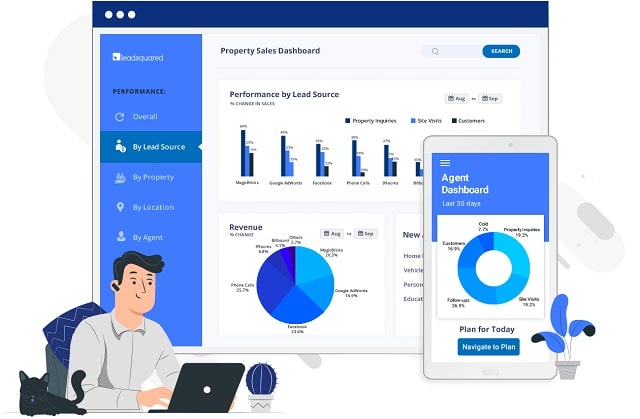
But there is one secret weapon you need in the realty game: CRM (customer relationship management) software. 


5 Big Business Benefits Of CRM Software For Realtors And Property Management Companies

1. Avoid Lead Leakage With CRM Solutions

Adopting CRM software solutions means real estate company brokers can address the issues of the losing leads to manual systems like simple spreadsheets. The best realtors trust proven CRM SaaS programs to sell more properties and maximize profits. We have to compiled the lessons and best practices followed by top realtors in this article. 

Beyond capturing the leads from campaigns that you can always analyze these leads with your CRM software. Identify which campaigns are doing well and which ones requires serious optimization or not. If need be, carry out A/B testing of your content on each and every platform to see what is works because the demographics of prospects vary per platform. 

2. Respond Faster To Customer Inquiries 

Salespeople can generally have a higher chance to connecting with the lead if they are reached out to within a 5 minutes of an particular inquiry. As a broker achieve this easily to right CRM for real estate companies. A lots of real estate CRM come with an configurable autoresponders that the enables you to the respond inquiries even when you’re not in the physically available to respond. You can also customize the messages in a customer relationship management program on the bases of specific action taken by the customers. 

3. Increase Efficiency & Productivity Of Sales And Marketing

Sales team is probably one that is always busy to moving from one task to the other. When they’re not scheduling site visits they’re following up on lead inquiries. In truth, these are the most important tasks for any real estate broker. Therefore, they shouldn’t spend any more time to doing it redundant tasks if you want to be productive. Adopting a CRM in real estate companies enables you to automate the most of your repetitive tasks so that the sales team members can focus on other important things too. Companies understand the impact on this on overall the performance. That is why few companies are considered investing in a CRM platform as their top sales priority. Activities like lead distribution to the sales team, certain responses to prospects, notifications should all be automated. 

4. Improve Customer Retention 

Only a few things matter more than relationships in the real estate industry. To keep this going even after closing a customer you need a platform to help to execute it effortlessly. Hence, the importance of CRM in real estate companies. With the help of CRM you can communicate with your customers on certain occasions via email. You can send them newsletters containing happenings in the companies or referral campaigns for when they suggest to new prospects. so they can send them emails on their birthdays or during the anniversary of their property purchase. Also, the referrals only work when a customer has you at the top of their mind already. 

5. Integrate Omnichannel 

The one benefit of having a CRM of your real estate brokers is ability to integrate with the most important platforms like a marketplace listings social media and more. In real estate CRM through integration ensures that the seamless communication in between the company and its prospects. A top CRM program for real estate agents will it be capture this and notify your sales team to follow up immediately. 

CRM Rocks For Realtors And Property Powerhouses

It's not easy being a realtor, real estate agent, large-scale landlord, or property investor. With a CRM solution you have the potential to improve your properties business and save a lot of time as well.

How Industries Use CRM To Boost Business

how different industries use crm software solutions customer relationship management

Many businesses in diverse industries are using CRM or customer relationship management systems software for many years. It is still a very successful practice among businesses where customer satisfaction is of high priority. Healthcare CRM in fact is the most popular for the real results it brings to the business. We'll look into healthcare CRM in greater detail later in the article. 

The purpose of CRM programs is to keep the existing customers happy and to add new customers. CRM software brings together company sales, customer support activities, and marketing departments while streamlining policies, processes, and people. 

Businesses often adopt CRM for it provides a complete picture of the process and expected results, which helps the top managerial restructure strategies for accomplishing shared goals. Each industry or business niche uses CRM differently. 

Let's see how various industries are utilizing customer relationship management software solutions in the new economy. 

Use Of CRM Software Across 4 Different Industries 

1. CRM For The Healthcare Industry 

The healthcare industry has gone through profound changes following the adoption of CRM. The changes or certain shift is impressive as compared to other industries. What led the industry to include CRM is the domination of digitalization that started somewhere about a decade ago during major political elections, where its benefits and the urgent need to implement were echoed. Today, businesses operating in the health care industry are using CRM as a one-stop-shop to manage patients digitally. They now have a specially dedicated team to set appointments, schedule meetings, coordinate between multiple care units, and send reminders to patients for their next visit. 

The data collected by the CRM software of healthcare patients is also being used on a wider approach to bring artificial intelligence powered automation solutions for handling complex jobs such as scheduling staff and accommodating patients inflows. 

The implementation of CRM solutions in healthcare has helped managed the entire sector while reducing cost and saving time. This new healthcare tech is especially important in today's global healthcare crisis with reforms an expansions becoming imminent.

2. CRM For Retailing And Ecommerce Industry

The core business of the retail industry is to sell goods and services. The retailing industry has also adopted CRM technology to better manage customers, production, supply, and a better demand view. The retailer industry uses CRM to evaluate any change in the customers preference; if so, what made the shift and what the industry can do to keep the customers happy and returning. 

There is dedicated CRM software that prompts the retail industry to change a company's government policies to comply. It also helps restructure the retail process for better accomplishment of the goals.

For many years, retailers have used various technologies and solution providers to help them manage and optimize their pricing, promotions, and markdowns. Despite sophisticated analytics, complex rules, CRM software solutions, and the availability of competitor intelligence, legacy solutions often miss the mark when it comes to enabling a balance that meet both the retailer’s and shopper’s needs. With the recent rapid changes in shopper behavior on new websites, and increasing e-commerce adoption, it is more challenging than ever to uncover ideal pricing, promotions, and markdowns on CRM programs. In the era of AI retailers are exploring new, more strategic, channel-specific, and autonomous approaches to pricing and promotions that will drive profitable revenue growth. 

CRM software solutions are even more obvious and evident for ecommerce only businesses compared to brick and mortar retailers or mixed retail sellers. For example, a CRM system is absolutely essential for an online CBD company, while it is merely suggested for a CBD brick and mortar store or small chain.

3. CRM For The Financial Industry 

The financial industry, particularly the banking sector, uses CRM software to understand the customer behavior and preferences. There are tailor-made CRM programs of the financial industry for the personalized handling of the customers. These programs help create attractive offers for the customers. 

The solutions suggested by the CRM are focused on reducing the total cost to ownership and extend the value of the investment by holistic integration of existing systems pre-existing within the company. 

4. CRM For The Legal Industry 

A survey on the working of attorneys found that a legal personal bill of 1.9 hours out of 8 hours worked for the remaining hours spent researching and winning new businesses. The unpaid working hours are a major concern; however, the implementation of CRM has made it possible for attorneys to bill for every effort they made in closing a deal. 

For instance, attorneys now use chatbots that are easy to use, record, and schedule meetings with new businesses. The chatbots and other automated applications such as auto-reply help them stay proactive in their business and get paid for every minute utilized. 

The CRM system has proven to be exceptionally effective in circumstances where customers are in distress and need an immediate response, such as at firms that handle criminal cases. The CRM lets the firms prioritize customers and provide a quick turnaround. 

Moreover, automation of process has helped follow up on leads and cut down on repetitive tasks such as scheduling appointments and tracking bills. CRM, in short, has helped the legal industry stay profitable. 

CRM Conclusion

CRM is an effective strategy to automate certain tasks and stay upbeat in the business. The CRM programs or software provide the users a complete picture of the process and help them navigate to the targeted customers. Find the best CRM software solution for your industry and business for a big boost!

iOS App Development Company

ios app development company apple operating system developers

Apple has always been a company that seeks to offer different products to its consumers not only to build loyalty, but also to complement its long list of creations. That is, then, the main mission of its market, which is not limited only to devices and, on the contrary, sees in the services derived from them a reason for the nexus between the firm and its public. From this symbiosis of continuous interrelation, we must highlight the progress of apps or applications for laptops and especially the Apple operating system to shelter them: iOS. 

To be approved, your application goes through a process. Although you cannot establish reliable times, it takes an average of 3-10 business days to upload, although also –depending on the complexity- the process can take longer (there are even cases of a month). In any case, 3-10 days is only a based estimate as in fact, Apple does not offer any estimate on the time frame of the approval process. Throughout the process, Apple informs you of the status of your application and other particularities of the process. One of them is the classification according to the content itself. 

Now, how is the world of ios app development company? The answer has many outputs. From creating and developing native apps for iOS, working as an iOS Developer for a company, creating our own startup etc. 

Main Steps To Create iOS Applications 

1. The initial phase in which we have to define the idea of ​​the app we want to create. 

2. In the business phase we go into more details, but without developing anything. We must be clear about the business model that we follow with our application. What is the purpose of the app? If what you want is to generate income then you will have to define which monetization technique or techniques you will use. Define all this well before starting to develop 

3. Finally, the development and design phase is here. If necessary, get specialized teams in iOS mobile application development for the programming part. Remember that design is also an important part, especially for iPhone and iPad. In order to manage the app project, it is highly recommended that you have an experienced Project Manager. 

4. The launch and promotion phases of the app. This is where we have to upload the applications to the stores. 

Be Careful With The Design 

The icon of your app is the first thing the user sees. In that sense, you should focus on creating an icon that stands out from the rest. Keep in mind that in iOS all the icons are embedded in a square with rounded edges. In short, do not use to much text or a photograph. 

Check that it is recognizable in all sizes, even if it has to be reduced. And above all, be creative when designing it. 

To be an iOS programmer it is not only necessary to know the development environment and the necessary programming language. It is very important to start on the right foot and have a good foundation of programming fundamentals, especially a good foundation of object- oriented programming fundamentals. This base, not only will serve us to be iOS developers, but it will also serve us to develop on other platforms, such as Android, development of our own APIs, etc.

Social Selling Entrepreneur Sales Suggestions: